Home avatar

Building and implementing end-to-end solutions to solve real-world problems

Unable to Create GitHub Project Items on IPhone Safari Browser

GitHub mobile app does not allow creating project items, forcing users to access the web version via Safari browser. However, when using the board view on an iPhone running Safari, the “Add Item” input is not visible when scrolling down.

Solution 1: Add to Home Screen

  1. Open github.com from your iPhone’s Safari browser.
  2. Click the “Share” button on the bottom of the navigation bar.
  3. Select “Add to Home Screen.”
  4. On the “Add to Home Screen” page, click the “Add” button.
  5. Access GitHub from your home screen. You will now be using the PWA version without a navigation bar.

Solution 2: Use Chrome App

Alternatively, you can also use the Google Chrome app on your iPhone, which displays the “Add Item” input correctly when accessing GitHub project boards.


Setting Up Local AI Chat on VSCode on Mac

In this tutorial, we’ll guide you through the process of installing and setting up the ollama local AI chat service in VSCode on your Mac. We’ll also explore how to integrate it with the Continue extension for seamless AI-powered coding experiences.

Step 1: Install ollama

To get started, open your terminal and run the following command:

Local AI Chat on Web-Based Client on Mac

In this tutorial, we will set up a local AI chat client using ollama and Open WebUI. This will allow us to interact with our AI model locally without relying on any cloud services.

Install ollama

First, install ollama using Homebrew:

Local Chat AI on Mac

In this post, we’ll be diving into the installation and usage of ollama, a local chat AI that runs on your Mac.

Installing Ollama

1
brew install ollama

Once installed, you can pull down a pre-trained model (in this case, we’ll be using the “llama3” model):

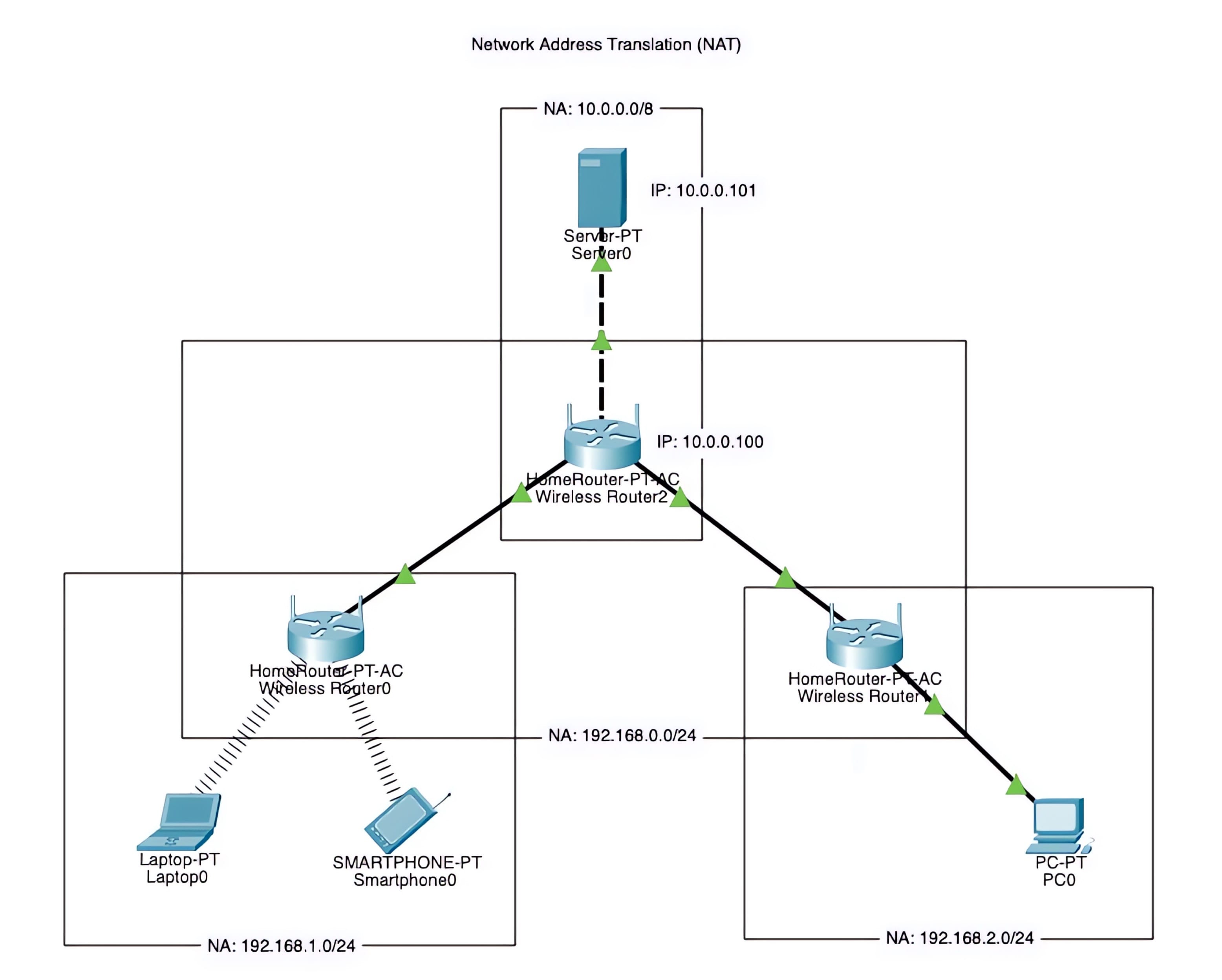
NAT Setup Using Cisco Packet Tracer

We will demonstrate a basic network address translation (NAT) setup, allowing multiple devices to access a server through various routers and wireless networks. This setup enables multiple devices from different locations to connect to a single server, making it a crucial component of many modern networks.

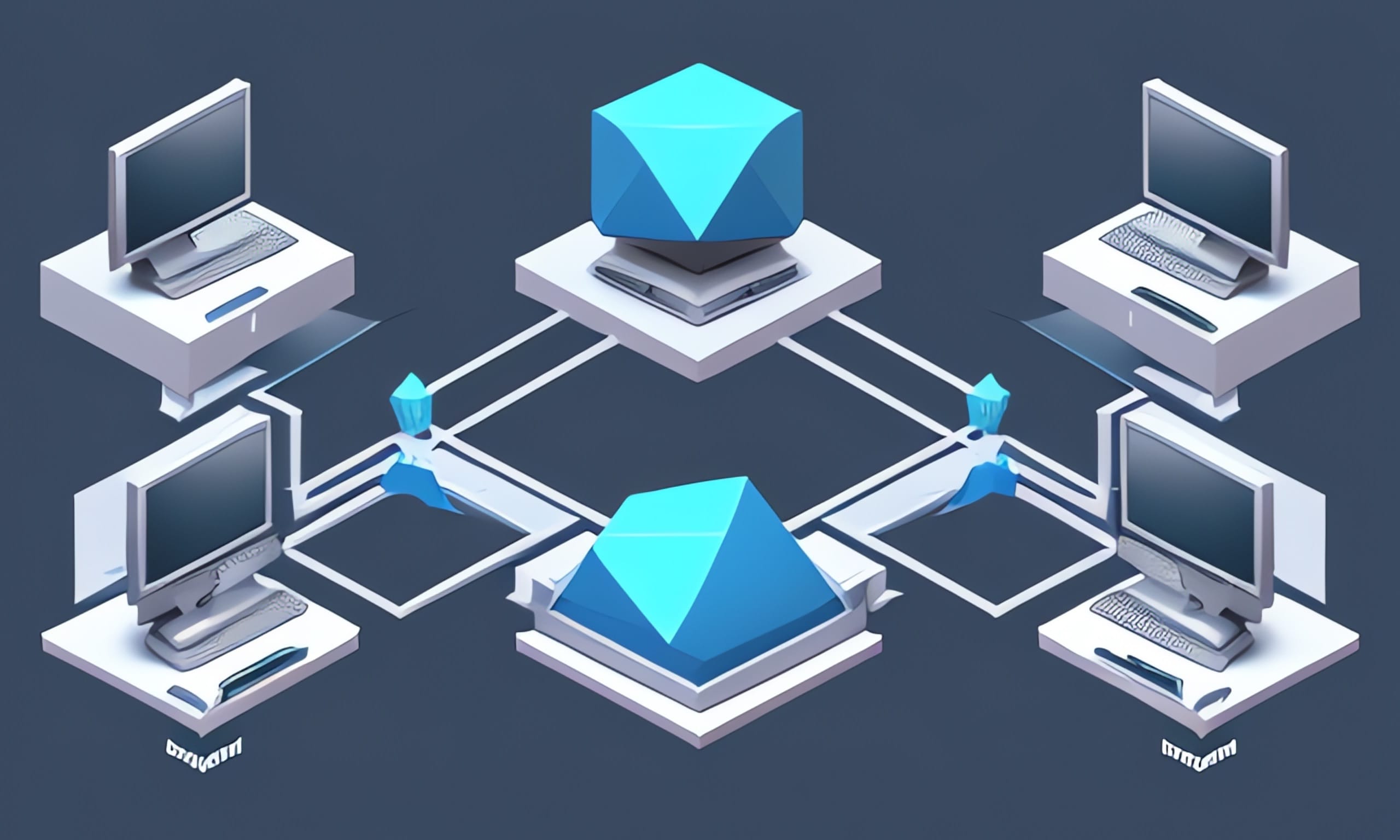
Network Switching and Routing Using Cisco Packet Tracer

This guide uses Cisco Packet Tracer software to demonstrate switching and routing concepts, allowing users to explore and understand network architectures in a virtual laboratory environment. With this resource, users can design, build, test, and troubleshoot networks, experimenting with different scenarios and configurations in a risk-free setting.

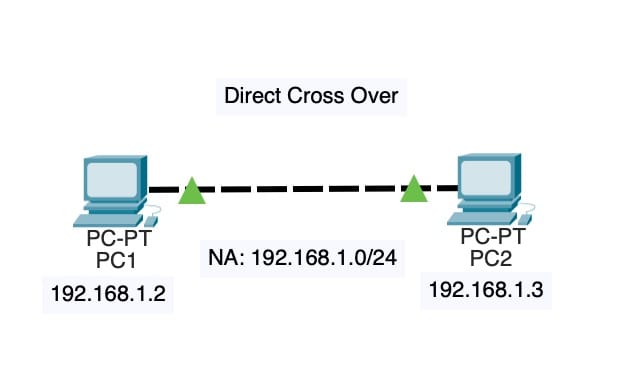
Cross Over Cable

Cross Over Cable